


close
Choose Your Site
Global
Social Media


Views: 222 Author: Rebecca Publish Time: 2026-01-08 Origin: Site


Content Menu
● Understanding Transparent Plastic In Blender
● Preparing Your Blender Scene
● Choosing Principled BSDF For Plastic
● Core Settings For Transparent Plastic
● Building A Basic Transparent Plastic Shader
● Adding Tint Inspired By Masterbatch
● Simulating Frosted Or Semi-Opaque Transparent Plastic
● Adding Surface Imperfections
● Light Paths And Render Settings
● Using Transparent Plastic In Product Visualization
● Linking Blender Materials To Real-World Masterbatch
● FAQ
>> 1. How do I make fully transparent plastic instead of glass in Blender?
>> 2. How can I create colored transparent plastic inspired by Masterbatch?
>> 3. Why does my transparent plastic render look dark or noisy?
>> 4. How do I make frosted or semi-transparent plastic surfaces?
>> 5. What IOR value should I use for realistic transparent plastic?
Creating a realistic transparent plastic material in Blender mainly depends on how you balance transparency (Transmission), reflections (Roughness and IOR), and subtle color, then combine these settings with good lighting and scene scale. Transparent plastic behaves differently from perfect glass, and understanding these differences helps translate real-world Masterbatch-based plastics into convincing digital shaders.
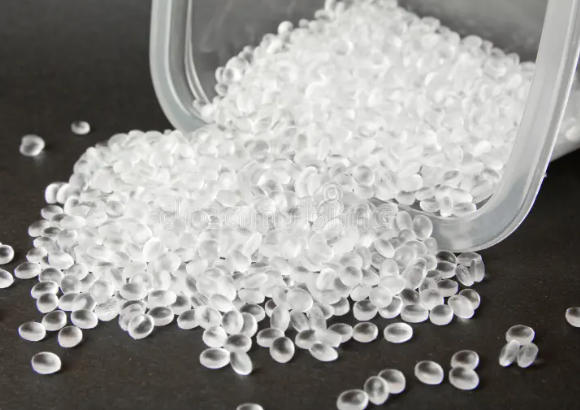
Transparent plastic in Blender is usually built with the Principled BSDF shader, using a mix of Transmission, Roughness, and IOR settings to simulate how light passes through, reflects off, and slightly blurs inside the material. Unlike glass, transparent plastic often looks softer, with more surface micro-scratches, tinting, and less sharp refraction, which are characteristics that can be linked conceptually to how Masterbatch pigment is dispersed in real plastic.[1][2]
Transparent plastic in real manufacturing is typically created by combining a base polymer (like PET, PC, PMMA, or Tritan) with color or additive Masterbatch that tunes clarity, tint, UV resistance, or diffusion, and this real-world behavior can inspire your Blender material settings.
Before tweaking shaders, it is important to set up a clean test scene so that changes to the transparent plastic material are easy to evaluate visually. A simple setup includes a few objects (such as a beveled cube or bottle), a ground plane, and basic studio-style lighting so you can see reflections, highlights, and internal refraction clearly.
For realistic transparent plastic, use Cycles as the render engine, enable enough light bounces for Transmission, and ensure your scene scale roughly matches real-world dimensions; glass-like and plastic-like IOR behavior is more predictable when object size is physically reasonable. Correct scene scale and lighting also help show subtle color effects that you might imagine coming from an internal Masterbatch formulation in the plastic.[3][1]
The Principled BSDF shader combines multiple shading models into a single easy-to-use node, making it ideal for transparent plastic, glass, metals, and many other materials. To build a transparent plastic, you typically use a single Principled BSDF node with Transmission pushed up toward 1, a realistic Roughness value, and an appropriate IOR for plastics.[2]
In Cycles or Eevee, setting Transmission to 1 gives a fully transmitting material and turning down Roughness yields sharp refractions, similar to glass, while increasing Roughness blurs the light passing through, which is crucial for transparent plastic that is not perfectly polished. This is analogous to how different Masterbatch and processing conditions can create perfectly clear plastics, frosted translucent parts, or materials with subtle haze.[4][1]
Transmission controls how much light passes through the material; for transparent plastic, set Transmission close to 1 for Cycles and enable proper transparency settings in Eevee so light can pass through the object. The Roughness parameter affects both surface reflection and transmission; higher Roughness values create more diffused, “milky” internal scattering while still letting light through, similar to semi-frosted plastic or a translucent Masterbatch grade.[5][6][1]
By dialing in a moderate Roughness—higher than polished glass—you can represent everyday transparent plastics such as bottles, cosmetic containers, and food packaging where the internal Masterbatch is designed for clarity but surface micro-texture still softens reflections.
The Index of Refraction (IOR) sets how much light bends and reflects when entering or leaving the material; for transparent plastic, an IOR around 1.46 is often used as a realistic reference. Newer versions of Blender also offer an IOR level parameter that adjusts the strength of reflections, but in transmission-heavy materials, you should primarily rely on the base IOR and Roughness to control how reflective your plastic appears.[7][8][9][1]
Choosing an IOR in the 1.45–1.5 range helps distinguish transparent plastic from glass while still giving believable highlights, echoing the way different polymer bases and Masterbatch combinations yield materials with distinct optical “snap” and shine in real applications.
To create a basic transparent plastic material in Blender, start with a single Principled BSDF node and connect it directly to the Material Output in the Shader Editor. Set Base Color to a slightly tinted hue instead of pure white, then increase Transmission to 1 and adjust Roughness to around 0.1–0.25 for a gently blurred but still readable transparency.[1][2]
Set the IOR to approximately 1.46 to mimic typical clear plastics, then refine Specular and Clearcoat if needed to sharpen the top-layer reflection while the underlying material remains slightly soft. This simple node setup already mimics a transparent plastic that might be created with a colorless or lightly tinted Masterbatch, such as water bottles, cosmetic jars, or electronic device windows.[8][1]
In Eevee, remember to enable “Alpha Blend” or “Alpha Hashed” in the material's blend mode and turn on Screen Space Reflections with refraction, so your transparent plastic looks consistent between Eevee and Cycles. This ensures that the Masterbatch-inspired tinting and internal reflections you build into the shader are visible in real-time viewport previews.[6][10]
Transparent plastics in industry rarely stay perfectly colorless; color Masterbatch is frequently used to add subtle brand-specific tinting, UV protection, or a premium aesthetic. You can simulate this effect by slightly tinting the Base Color of the Principled BSDF node and keeping Transmission at 1, or by adding a Volume Absorption node for more physical depth-based color.
Volume Absorption darkens and tints light as it travels through the object's thickness, which is especially effective for colored transparent plastic like PET bottles or translucent containers. This mimics how colored Masterbatch pigments distributed inside the polymer make thicker areas look darker and more saturated while thin areas remain lighter.[11][12]
If you need stronger or more saturated color, use a Volume Absorption node in series with a subtle tint on the Base Color, balancing both so the material remains recognizable as transparent plastic rather than glass. Volume shading can be more render-intensive, but the result better matches real-world Masterbatch–colored plastics such as sports bottles, LED covers, and cosmetic packaging.
Some applications require semi-transparent or frosted plastics that blur internal objects but still allow light to pass through, such as bathroom accessories, lighting diffusers, or privacy panels. In Blender, you can achieve a frosted plastic look by increasing Roughness on the Principled BSDF and optionally using a bump or normal map to create micro-etching on the surface.[4][1]
This frosted appearance can be conceptually linked to using a diffusion or matting Masterbatch in a real polymer system, where particles scatter light and create a soft, semi-opaque effect. If you want even more diffusion, mixing Principled BSDF with a Translucent or Transparent shader using Layer Weight or Fresnel can yield artistic but convincing frosted plastic that renders faster than full volume scattering.[11][5]
Such materials are ideal for showcasing how advanced additive Masterbatch solutions can deliver both privacy and controllable light transmission in physical products, and your Blender visualization can support product development and marketing visuals.
Real transparent plastic surfaces are rarely perfectly smooth; they often carry manufacturing marks, micro-scratches, fingerprints, or molded texture. To recreate this realism, use normal maps, bump maps, and roughness maps to break up reflections and highlights while keeping overall transparency intact.[13][11]
You can plug a subtle noise texture through a ColorRamp into the Roughness input of Principled BSDF to create slightly varied gloss across the surface, which helps prevent the material from looking too “CG-clean.” Adding these details is particularly helpful when visualizing high-value Masterbatch-based packaging, where surface feel and gloss level are key selling points for your plastic material solutions.
Adjust textures at the correct scale to match your object dimensions; overly large noise patterns can make small consumer goods look unrealistic, whereas fine-scale textures suggest carefully engineered Masterbatch and processing conditions in your digital product shots.
Transparent plastic materials rely on proper light path settings so that light can enter, bounce inside, and exit the object realistically. In Cycles, increasing the Transmission and Transparency bounces and setting a reasonable maximum total bounces ensures that rays do not terminate too early, avoiding dark or overly noisy areas in your transparent plastic.[12][3]
Clamping indirect light and using denoising can help keep render noise manageable when working with complex transparent objects, such as bottles filled with liquid, multi-layer packaging, or assemblies of multiple Masterbatch-based components. For scenes with many overlapping transparent plastics, consider simplifying geometry or using thinner shells to reduce ray complexity while keeping an accurate look.
Fine-tuning these render settings is important for industrial visualization workflows, where clear representation of internal structures, labels, or embedded Masterbatch effects must be reliably communicated to engineers and customers.

Transparent plastic materials are crucial in product visualization for packaging, consumer goods, electronics, and automotive parts. In Blender, combining realistic transparent plastic shaders with proper HDRI lighting, studio reflections, and subtle camera depth of field results in renders that closely resemble professionally photographed products.[13][8]
When promoting real-world Masterbatch solutions, you can prepare a library of transparent, translucent, and tinted plastic materials that correspond to your physical product grades, then reuse these shaders across many scenes and customer projects. Matching digital color swatches to the Masterbatch color cards your company provides helps bridge communication between design teams, marketing, and manufacturing.
In addition, consistent use of the same transparent plastic material presets helps unify your catalog of rendered images, giving your brand a strong, coherent visual identity tied directly to your Masterbatch technology and custom plastic materials expertise.
For more advanced control over transparent plastic, you can combine Principled BSDF with specialized nodes such as Transparent BSDF, Refraction BSDF, Volume Absorption, and Layer Weight. The Transparent BSDF node passes light straight through the surface with no refraction, and is often used in mix shaders to control areas that should behave like thin films, decals, or cutouts.[10][11]
Refraction BSDF can be used when you need physically clearer separation between surface reflection and internal refraction, although Principled BSDF is typically sufficient for most plastics. Volume Absorption and Volume Scatter nodes simulate internal absorption and scattering, giving you more realistic color depth and haze, which parallels how certain Masterbatch additives influence the visual depth of real plastic.[14][15]
Layer Weight, Fresnel, and Curvature-based masks can help drive subtle differences in roughness or tint between edges and flat areas, suggesting thickness variation or stress patterns—details that make your Masterbatch-enhanced transparent plastic renders stand out in professional presentations.
Transparent plastic materials in Blender can be more than pure visual effects; they can become digital counterparts of your real plastic formulations. By calibrating color, gloss, and haze to match sample plaques produced with specific Masterbatch batches, your 3D shaders become practical tools for design reviews and remote customer communication.
Your R&D or sales team can, for example, create a set of Blender materials representing different transparent and translucent Masterbatch solutions: high-clarity PET grades, UV-stabilized PC, frosted PP, or tinted Tritan. Designers and customers can then visualize these options in real product geometries, allowing faster decision-making on color, thickness, and optical effects before physical sampling.
This workflow strengthens your positioning as an innovative supplier of customized plastic materials and Masterbatch solutions, while Blender serves as a powerful bridge between material science, industrial design, and marketing storytelling.
Creating transparent plastic material in Blender requires balancing Transmission, Roughness, and IOR within the Principled BSDF shader while ensuring proper scene scale, lighting, and render settings. By layering in tint, volume absorption, surface imperfections, and advanced nodes, you can simulate a wide range of transparent and translucent plastics that echo how real Masterbatch formulations behave inside polymers.
For companies specializing in innovative plastic materials and Masterbatch solutions, these Blender workflows provide a practical way to transform technical material properties into compelling, photo-realistic visuals that support R&D, sales, and global marketing. When digital materials are carefully tuned to match real-world Masterbatch grades, every product rendering becomes a credible preview of what your customers will receive in production.
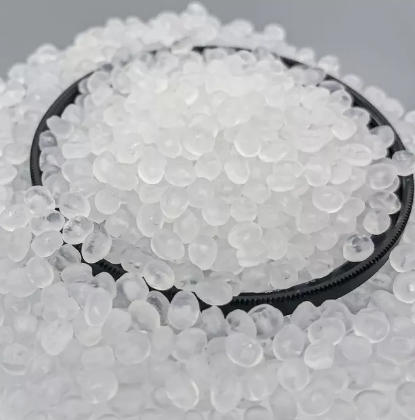
A fully transparent plastic can be made by using a Principled BSDF node with Transmission set to 1, Roughness slightly above 0, and an IOR around 1.46 to represent plastic rather than glass. Keep Specular moderate and add a small amount of Roughness to avoid perfectly sharp reflections, which helps differentiate transparent plastic from glass while still conveying a clear material that could be produced using a neutral Masterbatch.[8][1]
To create colored transparent plastic, slightly tint the Base Color of the Principled BSDF and use a Volume Absorption node to deepen color with thickness, then keep Transmission at 1. This setup simulates how color Masterbatch in a real polymer makes thick regions look richer and thin edges more subtle, ideal for bottles, lenses, and translucent containers.[12][2]
Dark or noisy transparent renders often come from insufficient Transmission or Transparency bounces, or from complex overlapping geometry that causes many ray intersections. Increase transmission-related bounces in Cycles, simplify object thickness, and use denoising; for complex assemblies with many Masterbatch-based parts, consider reducing unnecessary internal geometry to improve clarity and performance.[3][12]
Frosted plastic can be achieved by raising Roughness on the Principled BSDF and optionally adding a fine bump or normal map to simulate micro-etched surfaces. You can also mix Principled BSDF with a Translucent or Transparent shader using a Layer Weight node, creating an artistic but convincing frosted look that mimics diffusion Masterbatch used in privacy panels and light diffusers.[5][1][4]
Most common transparent plastics have IOR values around 1.45–1.5, so 1.46 is a practical starting point in Blender for realistic plastic. Setting IOR in this range, combined with appropriate Roughness, allows your transparent plastic to look believable and distinct from glass, aligning your digital shader with the optical behavior of real Masterbatch–modified polymers used in industrial products.[1][8]
[1](https://cgcookie.com/community/17803-simple-glass-with-new-bsdf)
[2](https://docs.blender.org/manual/en/latest/render/shader_nodes/shader/principled.html)
[3](https://www.youtube.com/watch?v=YwkjUqca5jg)
[4](https://blenderartists.org/t/how-to-setup-thin-translucent-material-in-cycles-for-grass-and-foliage/1475778)
[5](https://cgcookie.com/community/10041-mixing-principled-bsdf-and-translucent-bsdf-an-artistic-decision)
[6](https://www.youtube.com/watch?v=o8k9TmMfRqc)
[7](https://blenderartists.org/t/ior-level-and-transmission/1521854)
[8](https://www.youtube.com/watch?v=NFCaTAGZQzE)
[9](https://www.youtube.com/watch?v=7ucxCoa7jq0)
[10](https://docs.blender.org/manual/en/latest/render/shader_nodes/shader/transparent.html)
[11](https://www.reddit.com/r/blenderhelp/comments/wvlk63/how_do_i_make_a_clear_plastic_material_like_this/)
[12](https://blenderartists.org/t/how-to-achieve-this-transparent-plastic/1531823)
[13](https://www.youtube.com/watch?v=vJZsTG2bUF4)
[14](https://devtalk.blender.org/t/principled-bsdf-transmission-behaviour/2096)
[15](https://blender.community/c/rightclickselect/rE62/)
[16](https://www.youtube.com/watch?v=cIukOGxQWSw)
[17](https://www.youtube.com/watch?v=PKwKT-tvu5E)
[18](https://www.youtube.com/watch?v=UAaGMj9d47c)
[19](https://www.facebook.com/groups/blenderarmy/posts/2974294279407040/)
[20](https://www.reddit.com/r/blenderhelp/comments/16z6tld/how_to_get_sharp_reflections_but_rough/)


